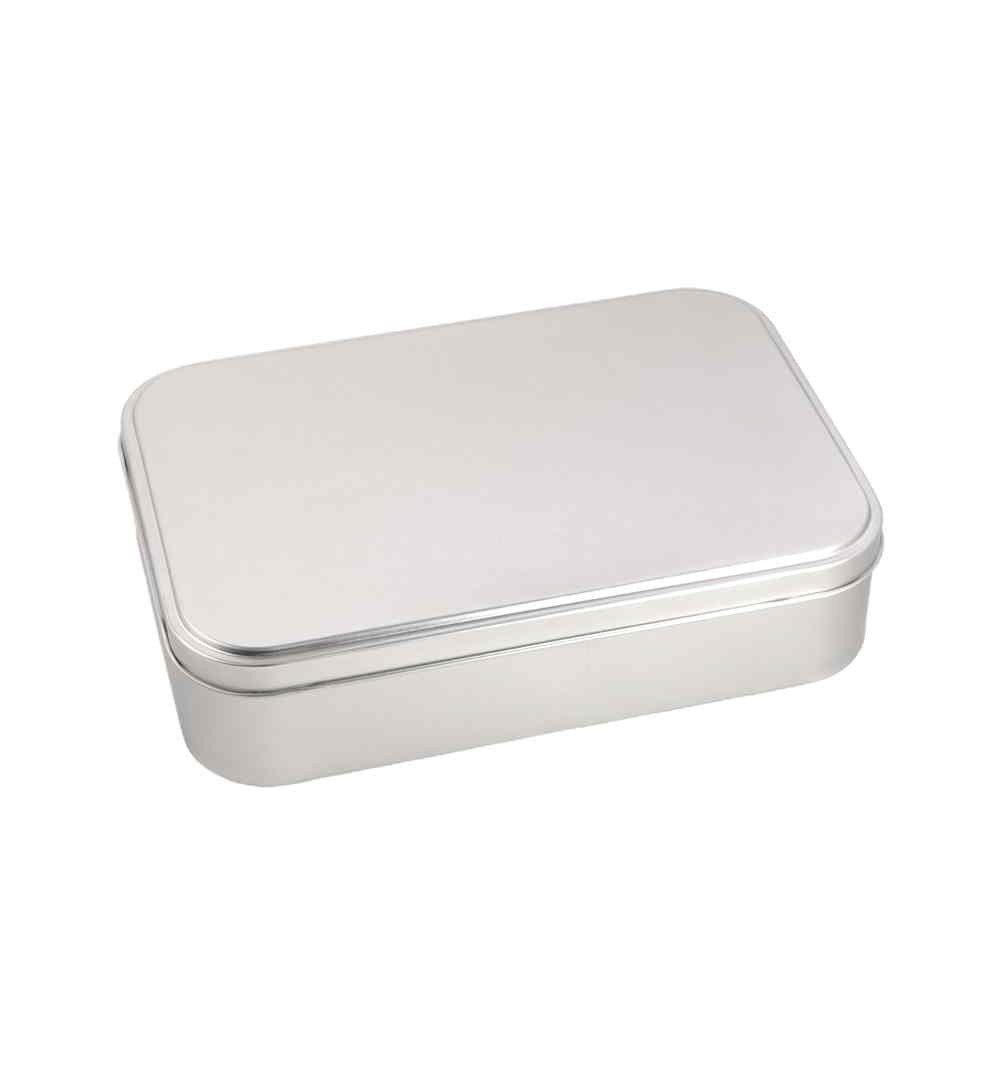
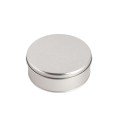
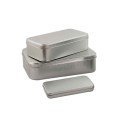
Large custom rectangular metal box – add value to your product or gift
A metal box with a vintage feel, useful and durable, that you can personalise with your photos, messages or own design. Its generous size makes it ideal for packaging handmade products, giving unique gifts or creating an elegant case for important items.
Full-colour personalisation on metal
The lid is personalised with high-quality digital printing using UV DTF, a technique that transfers the design directly onto the aluminium. This ensures accurate colours and great durability. Your images or text blend into the lid with a smooth, professional finish.
Just upload your design in JPG or PNG format (up to 10 MB), or ask for a template to create one from scratch. Our creative team can also design it for you.
Ideal as product packaging or as a gift with personality
This large metal box is much more than a container. It is perfect for:
Biscuits, chocolates, teas or artisan sweets
Gift sets for special dates
Sewing items, stationery or collectables
Jewellery, keepsakes, photos or heartfelt messages
The vintage design recalls those classic metal tins we all remember from our mothers' or grandmothers' homes. Now you can relive that nostalgia, with your own design.
A sustainable alternative to plastic
Made of aluminium, this box is not only strong and reusable but also 100% recyclable. With your design, it becomes something your customers or loved ones will want to keep and reuse, so your brand or message stays present over time.
Its strength also makes it ideal for online shops that need secure packaging for courier shipping.
Will your product fit in this tin?
It offers a large capacity without being bulky. If you are unsure whether your product fits, contact us: we can send you a sample so you can check before personalising.
How to personalise your metal box
Click the "Customise" button.
Upload your design or type your text.
Preview your creation.
We take care of the rest!
Print area: only the outside of the lid is personalised.
Care instructions
Clean with a soft damp cloth.
If used for food, wash by hand with warm water and mild soap.
Do not put in the dishwasher or soak.
Do not scrub with abrasive pads.
Volume discounts available
Planning a launch, an event or simply need several units? Ask about our quantity prices. A great way to create a custom packaging collection for your brand or gifts.
Choose the product and its options (size, colour, finish).
Click "Customise" to open the editor.
Upload your image or logo from the IMAGE tab → Image (JPG/PNG; better quality = better result).
Add text from the TEXT tab → enter your text (choose font, size and colour).
Place and adjust: drag to move, use the corners to scale/rotate.
Zones: keep text and logos inside the safe zone and extend backgrounds to the bleed.
Layers: arrange them (front/back).
Check the preview; fix anything if you see warnings (low resolution or cropping).
Add to cart and complete your purchase.
Quick tips
Sharp images: if the editor warns of low resolution, upload a larger file or reduce its size on the canvas.
Easy alignment: turn on the guides to centre and square up elements.
Felt mats: if your design has fine lines, add a background underneath (solid shape) and increase the thickness.
Crest plaques/plaques: respect the text plate and the porcelain shape (fill up to the edge/bleed).
Laser engraving: only available on quote.
Mobile: hold your phone upright to see all the options, or sideways to see it bigger.
Advanced features
These options appear in the three-dot menu of the selected object. They are shortcuts to get your design perfect in seconds.
Bring to front: places the element on top of the rest. Useful when text is hidden behind an image.
Send to back: sends the element underneath. For backgrounds or images that should not cover text or logos.
Centre horizontally: aligns the object to the centre on the X axis within the design area.
Centre vertically: aligns the object to the centre on the Y axis within the design area.
Centre in container: centres the object both horizontally and vertically in one go.
Duplicate: creates an exact copy of the element (ideal for repeating logos in corners or creating symmetry).
Clip image: fits/crops the image to the limits of the area or mask so it does not stick out.
Mistakes it avoids:
Text hidden behind images → Bring to front.
Photos covering plates → Send to back.
Objects "almost centred" → Centre H/V or Centre in container.
Backgrounds sticking out → Clip image.
Common problems and solutions
"Low-resolution image" → replace it with a larger one or make it smaller in the design.
"Object outside the safe zone" → move or shrink it. Avoid text right at the edge.
"Unsupported format" → use JPG/JPEG (photos), PNG (if you don't want a background) or SVG (vector logos).
No visible change after adding a background → check Layers and bring the right element to the front.
Need help?
Click "Need help?" on the product page or use the contact form and tell us the product and what you want to achieve, and attach your files. We will suggest improvements if we think they are needed.
We care about your privacy and want to be transparent about the data we collect, how we use it, and your rights to control that information.
We collect information you provide directly to us, such as your name and email address when you sign up for our newsletter or contact us through our website.
We use the information we collect for various purposes, including:
Providing and improving our services.
Sending you updates and newsletters.
Analyzing website usage to enhance user experience.
Add Your Text Here
We care about your privacy and want to be transparent about the data we collect, how we use it, and your rights to control that information.
We collect information you provide directly to us, such as your name and email address when you sign up for our newsletter or contact us through our website.
We use the information we collect for various purposes, including:
Providing and improving our services.
Sending you updates and newsletters.
Analyzing website usage to enhance user experience.
We care about your privacy and want to be transparent about the data we collect, how we use it, and your rights to control that information.
We collect information you provide directly to us, such as your name and email address when you sign up for our newsletter or contact us through our website.
We use the information we collect for various purposes, including:
Providing and improving our services.
Sending you updates and newsletters.
Analyzing website usage to enhance user experience.
Welcome to the tour of our different Mus case models
Which case do you want? This is the key choice. You can buy the case as it comes, or give it an authentic, genuine touch with a personalised presentation, with other, more modern Regalos JC amarraco designs, and choose the right deck for the type of case you want to buy.
Choose one of the amarraco or chip sets from all the models available; there are quite a few, as you will see.
Select a deck. Please note that the Spanish Fournier deck in its cardboard box does not fit in the "Cajita de mus" (small Mus box). Keep this in mind, so you can't say we didn't warn you!
If you want a mat, look how many options you have!
Important: check your cart carefully before completing your purchase.